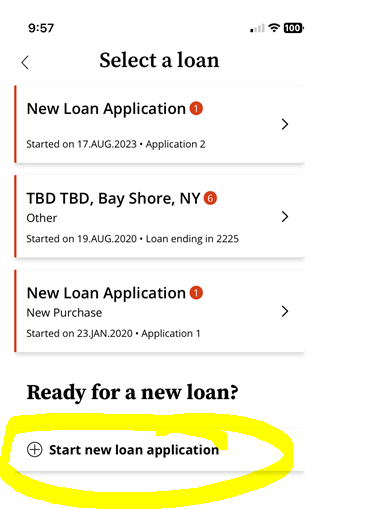
Trouble shooting seeing documents or navigating loans.
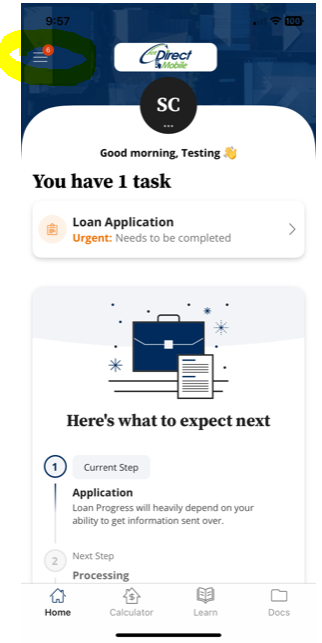
When the Borrower logs into the App it will show the most recently opened file. They need to click on the Menu Bar (3 lines) in the upper left hand corner.
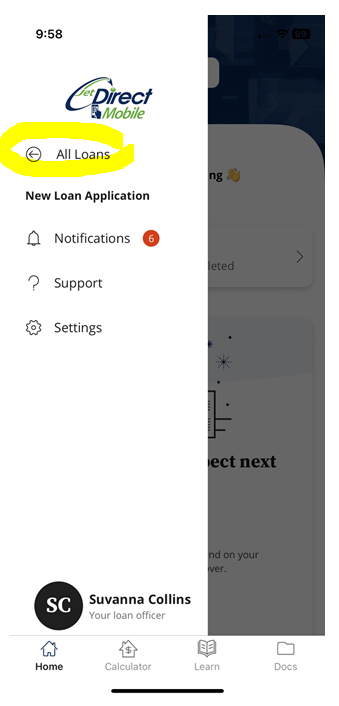
From here they will see the main menu. If they have multiple loans – then they will have an option for "All Loans"
Select All Loans.
In the "All Loans” screen make sure the Borrower selects the correct loan file. If the Borrower need to create a new Application they can click the "Create New Application"